
Most people get weak answers from AI and think, “Why is this AI so useless?” Here’s the truth: the mistake isn’t the AI — it’s your prompt. On this one page, I’ll teach you my own RECIPE framework — 6 simple steps that turn average answers into expert ones. No technical jargon, explained for complete beginners.
“India mein AI ki kami nahi, AI ki samajh ki kami hai.”
India doesn’t lack AI — it lacks the understanding of AI.
First, what exactly is a “prompt”?
Whatever question or instruction you give an AI is called a prompt. And remember one simple rule: the better your prompt, the better the answer.
Think of a very obedient driver — he does exactly what you say and never asks a question back. If you tell him “drop me at the station” but don’t say which station, when, or which route — he’ll drop you at the wrong one. The fault isn’t the driver’s; it’s your incomplete instruction. AI works exactly the same way. It holds a world of knowledge, but the direction has to come from you.
Good prompt vs bad prompt — and the birth of RECIPE
Just like good food needs good ingredients, a good answer needs a good recipe. A bad prompt is a dish cooked with no measurements — occasionally fine, mostly a mess. A good prompt is a proper recipe — a great result every single time.
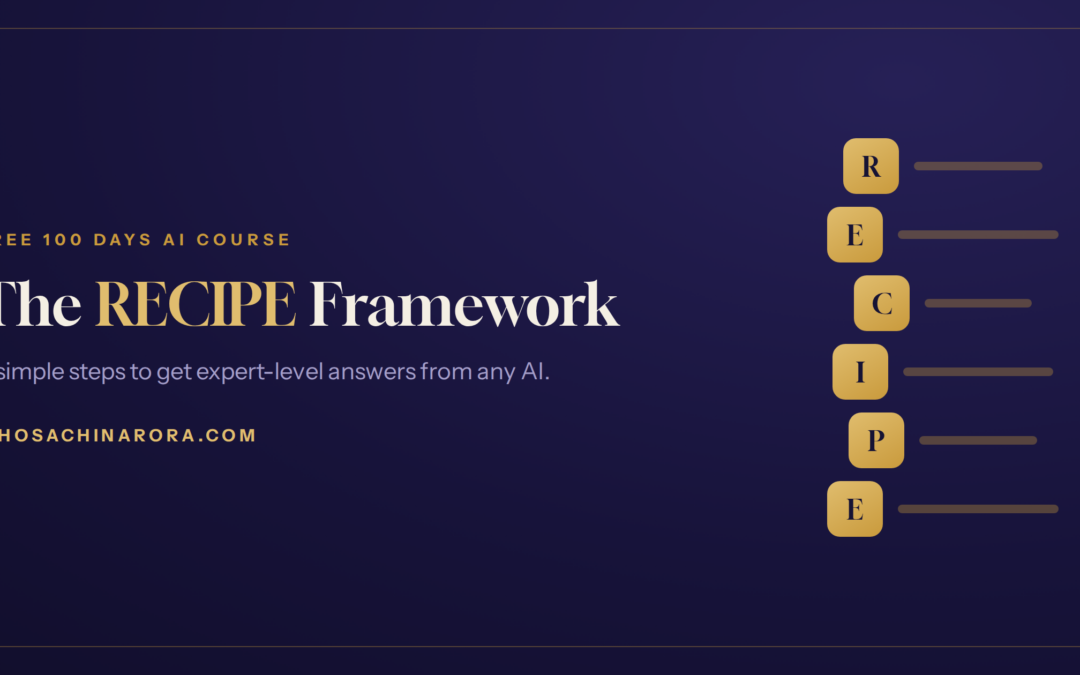
That thought is exactly why I built a formula that’s easy to remember — RECIPE. Its 6 letters are 6 essential ingredients:
| Letter | Meaning | What it does |
|---|---|---|
| R | Role | Give AI an identity — “who you are” |
| E | Explain | Spell out the task clearly — “what to do” |
| C | Context | Tell it about you — “for whom, in what situation” |
| I | Instructions | Set the rules — “how to do it, what to watch for” |
| P | Presentation | Define the format — “how the answer should look” |
| E | Examples | Give a sample — “something like this” |
Role — give AI an identity
All day long, we humans play different roles — a son or daughter at home, an employee at the office, a friend among friends. In each role, the way we respond changes. The exact same thing happens with AI.
See the difference: “give me 5 business ideas” gets you an average answer. But “You are an experienced business consultant, give me 5 business ideas” — now the answer comes back at an expert level. Give AI a role, and its answer transforms from average to expert.
Take the role further: Experience + Market
Giving a role is good — but add experience and market, and AI becomes a true expert. Would you take advice from a fresher or from someone with 20 years of experience? That same difference applies here. “You are a business consultant with 20 years of experience in the Indian market” — now the answer is focused and practical, not generic.
Explain — spell out the task clearly
AI can’t read your mind. People often give a half-finished instruction, then blame the AI for a poor result. The problem isn’t the AI; it’s the unclear task.
Imagine walking into a tailor’s shop. If you just say “stitch me some clothes,” what is he supposed to make? You have to tell him — a shirt or a kurta, which fabric, what design, by when. The more clearly you explain the task, the more accurate the result — and it’s exactly the same with AI.
Context — tell it about you
AI now knows your task — but does it know anything about you? A tailor needs more than the design; he needs your measurements. In the same way, when you tell AI your budget, your city, your taste, your situation — it stops giving a generic answer and starts giving one built for you.
For example: “My budget is ₹15,000, I live in Jaipur, and I love cricket” — that little bit of context makes AI’s answer fully personal.
Instructions — set the rules and limits
Here’s a hidden problem: AI models like ChatGPT, Gemini and Claude often try to agree with you — they’re trained to keep you happy, so they say “yes, you’re right.” That means you don’t get honest advice.
The fix is simple — put a rule right into your prompt: “I’ll only be happy if you give me real feedback — with all the pros and cons, even if it goes against me.” That one line turns AI from a yes-man into an honest advisor.
Presentation — tell it how the answer should look
Even a brilliant answer feels useless in a messy format — like good goods in bad packaging. You can tell AI how you want the answer: in bullet points or paragraphs, in a professional tone or a friendly one, in simple language without technical words.
For example: “Give the answer in short bullet points, in a friendly tone, without difficult technical words.” Now what you get is easy to read and easy to use.
Examples — give a sample
Einstein said, “If you can’t explain it simply, you don’t understand it well enough.” When you give AI an example at your level, it understands exactly what kind of answer you want — and builds its answer to match.
Just one small sample — “write in a tone like this: ‘Something special today…'” — brings AI right on target. And with that, all six letters of RECIPE — R-E-C-I-P-E — are complete.
RECIPE in action: Normal prompt vs RECIPE prompt
Same AI, same question — but the answers are worlds apart. A small saree boutique owner in Jaipur needs an Instagram caption. Watch:
Normal Prompt
“Write an Instagram caption for my saree shop.”
Result: a generic, boring caption that could stick to any shop.
RECIPE Prompt
R (Role): You are an experienced social media marketer with 10 years of experience with Indian fashion brands.
E (Explain): I need an Instagram caption for my saree boutique that attracts new customers.
C (Context): My shop is in Jaipur; I sell handloom cotton sarees (₹800–2000); my target is working women aged 25–45.
I (Instructions): Keep the caption warm and simple; add one clear call-to-action; and if it can be improved, tell me the pros and cons.
P (Presentation): Friendly tone, 3–4 lines, a few emojis, and 5 relevant hashtags at the end.
E (Examples): A warm tone like — “Wear something special today 🌸…”
Result: a personal, powerful caption — right audience, right tone, ready to post. That’s the magic of RECIPE.
Your copy-paste RECIPE template
Copy this, fill in the blanks, and paste it into any AI:
Role: You are a ______ with ______ years of experience in ______.
Explain: I need ______.
Context: Here’s my situation — ______ (budget / location / audience / preferences).
Instructions: Keep in mind ______. Give me honest feedback with pros and cons.
Presentation: Give the answer in ______ format, in a ______ tone, in simple language.
Examples: I want something like — “______”.
3 common mistakes beginners make
- One-line prompts: a half-finished ask like “give me a business idea.” The more you tell AI, the better the answer.
- Skipping context: AI has no idea who you are, where you are, or who it’s for — until you tell it.
- Giving up on the first try: RECIPE is a conversation. Once you get an answer, refine it — “make it shorter,” “make it friendlier.”
Frequently asked questions
What is the RECIPE framework?
RECIPE is a 6-step prompt formula — Role, Explain, Context, Instructions, Presentation, Examples — that helps you get expert-level answers from AI instead of average ones. It was created by Sachin Arora for complete beginners.
Do I need all 6 steps every time?
No. For a small task, Role + Explain is enough. But the more important or complex the task, the more steps you should use for a better result.
Does RECIPE work with ChatGPT, Gemini and Claude?
Yes. RECIPE isn’t a tool — it’s a way of thinking, so it works on any AI, because every model needs clear direction.
Do I need to know coding?
Not at all. RECIPE is written entirely in plain language — no technical knowledge required.
✍️ I’m Sachin Arora — a non-technical B.Com graduate who learned AI without any coding and built my own no-code AI platform. If I can learn it, so can you. Read my full story here 👉 My Story
“AI aapki job nahi leta — wo insaan leta hai jisne AI seekh li.”AI won’t take your job — a person who has learned AI will.
Trackbacks/Pingbacks